Business Telephony Installation: The Definitive 2026 Master Guide
A Comprehensive Framework for UK Businesses Transitioning to Digital Telephony.
The UK’s transition toward a fully digital infrastructure, accelerated by the PSTN retirement, necessitates a structured approach to hardware and software migration. This checklist provides a technical framework for deploying PSTN Replacement Architecture that remains compliant with the PSTI Act 2022 and optimized for high-density voice traffic.

25 Years' UK Experience
Trusted by 1000+ UK Businesses
99.9% Uptime Guarantee
UK-Based Personal Support
Mastering Your Business Telephony Installation in 2026
Navigating a Business Telephony installation requires more than just plugging in handsets. As we approach the final stages of the UK copper switch-off, your business must align its network, security, and hardware with modern digital standards. This guide serves as your technical roadmap for a zero-failure deployment.
💡 Note: Looking for a hardware-free setup? View our Cloud Phone System deployment guide.
Quick-Start Summary: The 5-Step VoIP Readiness Checklist
1. Network Audit:
Disable SIP ALG on routers and ensure PoE switches are in place.
2. Regulatory Prep:
Sign the Letter of Authority (LOA) for Number Porting and update E999 records.
Security Baseline:
Enable SRTP Encryption and update all handset firmware to meet UK security standards.
4. Configuration:
Map IVR flows and assign static IPs or Voice VLANs to hardware.
5. Testing:
Conduct 2-way audio checks and simulate a failover to 4G/5G backup.
Stage 1: Planning & Needs Assessment
Managing costs across multiple sites and services is often a manual, error-prone process. The Stride Business Portal introduces a “Single Pane of Glass” philosophy to financial oversight, integrating all charges into a unified, digital ledger.
1.1 High-Density User Mapping
Don't just count heads; audit user personas.
Office Power Users: Require high-spec desk phones with Sidecars/Expansion modules for busy-lamp fields (BLF).
Remote/Hybrid Workers: Require seamless “Mobile Twinning” and high-performance softphone apps (Windows/macOS/iOS/Android).
Front-of-House: Needs IVR (Interactive Voice Response) logic and advanced queuing.
Legacy Devices: Identify analogue “holdouts” such as elevator phones, door entry systems, and alarm lines. These require ATA (Analogue Telephone Adapters) or dedicated digital upgrades.
1.2 Feature Architecture & AI Integration
In 2026, VoIP is more than voice. Competitors now integrate:
AI Transcription & Summarization: Automatically log call summaries into your CRM.
Omnichannel Support: Ensure your VoIP provider can handle SMS, WhatsApp, and Web Chat in the same interface.
CRM Deep-Linking: “Screen Pops” should pull up customer records in Salesforce or HubSpot the moment a call is received.
1.3 Numbering & International Strategy
In 2026, VoIP is more than voice. Competitors now integrate:
Number Porting: Moving existing 01/02/03 numbers via a Letter of Authority (LOA). This typically takes 7–21 working days in the UK.
Virtual Presence: Provisioning local numbers in different cities or countries to build a local presence without physical offices.
Stage 2: Network Audit & The "Golden Triangle" of Voice Quality
VoIP packets are fragile. Unlike a webpage download, which can “retry” if a packet is lost, voice data happens in real-time. If a packet is lost, you get “choppy” audio.
2.1 Bandwidth vs. Throughput
The 100kbps Standard: Budget 100kbps per concurrent call (up and down). A 50-person office with 20 simultaneous calls requires a dedicated 2Mbps symmetrical slice just for voice.
The Upload Bottleneck: Consumer broadband often has high download but low upload. Ensure you have a Leased Line or FTTP (Fibre to the Premises) with high upload headroom.
2.2 Latency, Jitter, and Packet Loss
Latency (Delay): Must be <150ms. High latency leads to “talk-over” where callers accidentally interrupt each other.
Jitter (Variance): Must be <20ms. Jitter is the variation in packet arrival time. High jitter causes “robotic” or garbled voices.
Packet Loss: Must be 0%. Any loss over 1% results in audible dropouts.
2.3 Local Area Network (LAN) Optimization
PoE Switches: Deploy IEEE 802.3af/at switches. This eliminates the need for 50+ individual power bricks under desks and allows you to centralize power backup (UPS) in the server room.
Voice VLANs: Segregate voice traffic from data traffic (PCs/Printers) to prevent a large file download from “choking” an active call.
Stage 3: Technical Configuration & Firewall Hardening
This is where 90% of VoIP failures occur. A firewall that isn’t “VoIP-Aware” will treat voice packets as a security threat.
3.1 The SIP ALG Conflict
SIP ALG (Application Layer Gateway) is a setting found on most routers. While it claims to “help” VoIP, in 99% of cases, it mangles the headers and causes:
Incoming calls not ringing.
One-way audio.
Calls dropping at exactly 30 seconds. Solution: Disable SIP ALG globally on your router/firewall.
3.2 Firewall Port Mapping
Ensure the following ports are open for bidirectional traffic:
SIP Signaling: UDP 5060 (Non-encrypted) or UDP 5061 (TLS/Encrypted).
RTP Media: A wide range (usually UDP 10,000–20,000) for the actual audio streams.
Provisioning: TCP 80/443 for phones to download their configuration files.
3.3 Power & Business Continuity
UPS (Uninterruptible Power Supply): Your phones won’t work if the router is dead. Ensure your core switch and router are on a UPS with at least 60 minutes of runtime.
4G/5G Failover: Deploy a router with a secondary SIM slot. If the fibre is cut, the system should failover to mobile data in under 5 seconds without dropping active calls.
Stage 4: UK Regulatory Compliance & Security (2026 Standards)
The UK has unique legal requirements for digital telephony that must be satisfied during installation.
4.1 PSTI Act 2022 Compliance
The Product Security and Telecommunications Infrastructure Act is now in full force.
Password Policy: All handsets (Yealink, Cisco, Poly) must have unique, non-default admin passwords.
Firmware Lifecycle: You must document that your hardware is within its “Support Window” and receiving security updates.
4.2 E999 Emergency Services
Since VoIP is location-independent, a caller in Manchester might be using a number registered to a London office.
The Database Update: You must manually associate every extension or “CLIP” (Calling Line Identity) with its physical street address in the National Emergency Database. Failure to do this can lead to emergency services being dispatched to the wrong city.
4.3 GDPR & PCI-DSS Call Recording
GDPR: If recording calls, you must play a “Compliance Greeting” informing the caller.
PCI-DSS: If taking payments over the phone, your system must have “Stop/Start” or “DTMF Suppression” so that credit card numbers are not stored in the audio recording.
Stage 5: Physical Deployment & User Provisioning
Moving from “The Plan” to “The Desk.”
5.1 Zero-Touch Provisioning (ZTP)
Modern deployments don’t require manual configuration of every phone.
RPS (Redirection & Provisioning Service): You enter the MAC address into the VoIP portal. When the phone is plugged in, it “calls home,” identifies itself, and downloads its extension settings automatically.
5.2 Call Flow Logic & IVR
Auto-Attendant: “Press 1 for Sales…” Keep this to a maximum of 3 levels to avoid “IVR Fatigue.”
Ring Groups: Set up “Hunt Groups” (e.g., all Sales phones ring at once) or “Round Robin” (distribute calls evenly among staff).
Time-of-Day Routing: Automatically switch to an “Out of Office” recording or an external answering service at 5:01 PM.
Stage 6: Testing, Training & Post-Go-Live Governance
A system is only “Live” when it has survived a stress test.
6.1 The "Punch List" Stress Test
The NAT Test: Call an external mobile, then have the mobile user put the call on hold and take it back. If audio drops, your NAT settings are wrong.
The Bandwidth Test: Start a large file download on a PC while making a call. If the audio gets “jittery,” your QoS (Quality of Service) is not configured correctly.
The Transfer Test: Perform “Blind” and “Attended” transfers to ensure callers aren’t disconnected during the handoff.
6.2 Staff Training & Adoption
Softphone First: Train staff on the desktop app first; it’s usually more intuitive than complex desk phone menus.
Cheat Sheets: Distribute one-page PDFs covering:
How to check voicemail-to-email.
How to “Park” a call.
How to use the “Do Not Disturb” (DND) function.
6.3 30-Day Health Review
Analytics Check: Look at your “Missed Call” logs. If 20% of calls are missed in the IVR, your menu is too confusing.
Firmware Sweep: Ensure all devices successfully updated to the latest security patch during the first month.
Troubleshooting Common Installation Pitfalls
Why are my calls dropping after 30 seconds? This is usually caused by SIP ALG or an aggressive firewall UDP timeout setting. Ensure SIP ALG is disabled and UDP ports (usually 5060/5061) are correctly handled.
Can I install VoIP over my current Wi-Fi? While possible, it is not recommended for high-density environments. Packet loss is significantly higher on Wi-Fi than on wired Ethernet. If necessary, use 5GHz bands and dedicated WAPs.
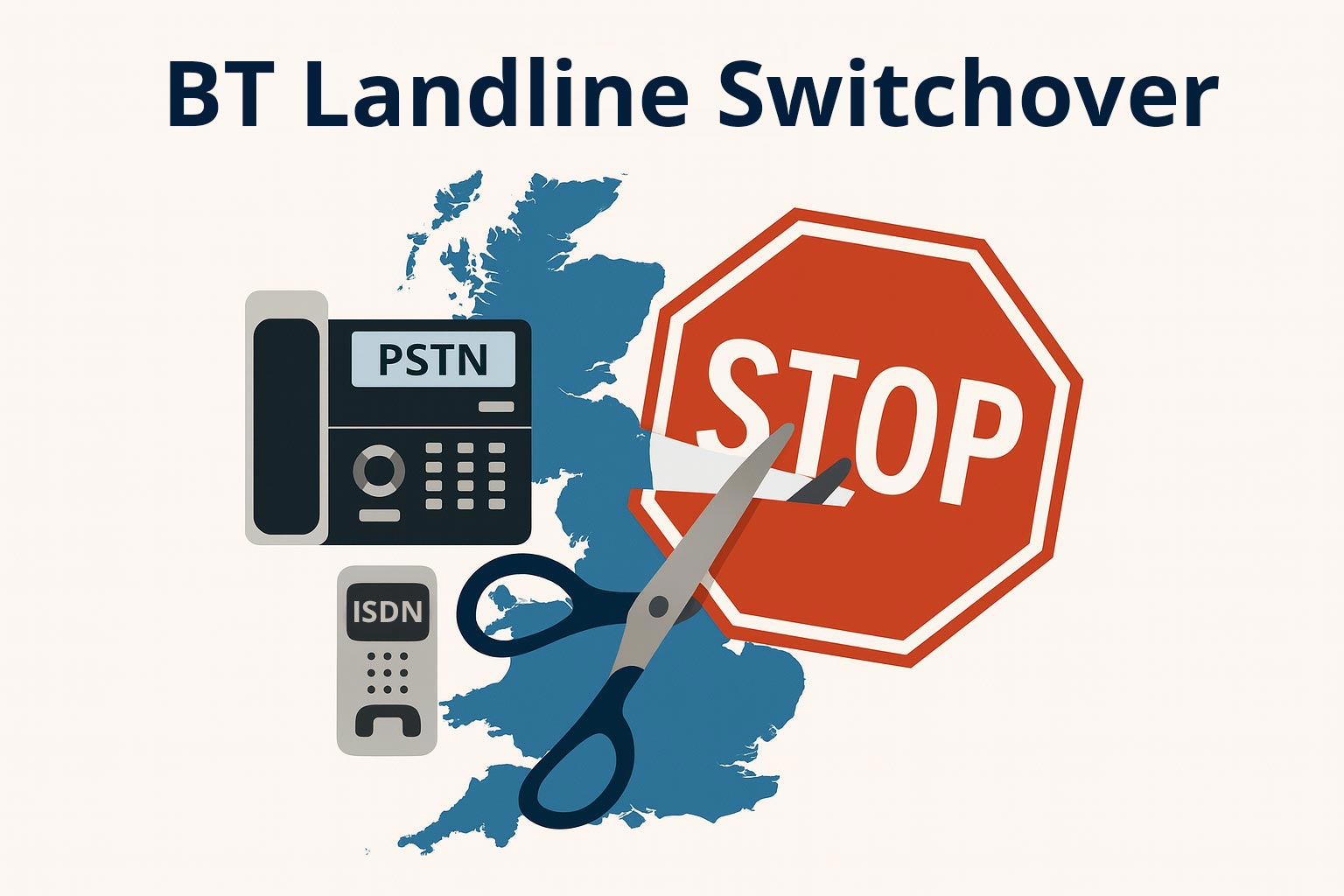
What is the “Big Switch Off”? The UK is retiring the PSTN and ISDN networks. This checklist ensures your business is ready for the digital-only future by establishing a robust, IP-based communication foundation.
Technical Appendix: Firewall Configuration & Port Forwarding
To ensure the stability of your VoIP deployment, your firewall must be configured to handle SIP and RTP (Real-time Transport Protocol) traffic correctly.
1. Core Port Requirements
| Protocol | Port Range | Technical Function |
|---|---|---|
| UDP | 5060 | Standard SIP Signaling (Non-encrypted) |
| TCP/UDP | 5061 | Secure SIP Signaling (TLS) - 2026 Recommended |
| UDP | 10,000 – 20,000 | RTP/SRTP Media Streams (Audio data) |
| TCP | 80 / 443 | Provisioning and HTTP/HTTPS access |
2. Advanced Firewall Settings
Consistent NAT: Enable “Consistent NAT” or “Address Persistence.” This ensures the external port assigned to a handset remains the same, preventing “one-way audio.”
UDP Timeout: Increase the UDP connection timeout to at least 150 seconds. Standard 30-second timeouts often cause handsets to lose registration.
3. Defining the Voice VLAN
Segment voice traffic from data traffic to apply 802.1p CoS (Class of Service) markings. This prioritizes traffic at the switch level, ensuring data-heavy tasks do not cause jitter on active calls.
Technical Troubleshooting: Diagnosing NAT & Firewall Audio Issues
A system is only “Live” when it has survived a stress test.
1. The "One-Way Audio" Diagnostic
If one party hears silence, the RTP (media) packets are being misrouted.
Check NAT Mapping: Use a packet capture tool to see if internal private IPs are leaking into the SIP “Contact” header.
Solution: Enable STUN (Session Traversal Utilities for NAT) on handsets to discover the public IP before sending signaling.
2. The "Dropped at 30 Seconds" Diagnostic (Signaling Timeout)
The Cause: The phone sends a “200 OK” message, but the firewall blocks the “ACK” (Acknowledgment) from the provider.
Solution: Verify the firewall allows incoming packets on the signaling port after a connection is initiated.
3. Troubleshooting "Ghost Ringing"
The Fix: Switch from UDP 5060 to encrypted TLS (Port 5061). This prevents automated scanners from hitting your public IP and eliminates “phantom” calls.
Technical FAQ: UK Phone System Migration & Number Porting (2026 Standards)
As the UK nears the final deadline for the PSTN and ISDN retirement, businesses often face technical and administrative hurdles. Below are the most common questions regarding the “Big Switch Off” and ensuring a compliant migration.
What is the "Big Switch Off," and why does my business need to act now?
The “Big Switch Off” refers to Openreach’s retirement of the traditional analogue Public Switched Telephone Network (PSTN) and Integrated Services Digital Network (ISDN). By the end of 2026, these services will be largely defunct. If your business still relies on physical phone lines for voice, alarms, or lift phones, they will stop working. Transitioning to a VoIP-based checklist ensures continuity and allows you to leverage modern digital features like AI transcription and CRM integration.
How long does Number Porting actually take in the UK?
Under standard Ofcom guidelines, “simple” porting (a single analogue line) can take 7–10 working days. However, “multi-line” or “complex” ports (such as ISDN30 or DDI ranges) typically require 17–21 working days.
Crucial Constraint: Never cancel your contract with your current (losing) provider until the porting date is confirmed and the numbers have successfully moved to your new (gaining) provider. Cancelling too early can result in the permanent loss of the number.
What is a "Letter of Authority" (LOA), and why is it often rejected?
The LOA is a legal document that gives your new provider permission to request your numbers from your current provider. Rejections are common due to minor data mismatches. To ensure a first-time match, the Site Address and Postcode on the LOA must perfectly match the details held in the losing provider’s billing system—even if that address is an old head office or a typo-laden record from a decade ago.
Is VoIP secure enough for UK GDPR and PCI-DSS standards?
Standard VoIP is not inherently encrypted. To meet 2026 security benchmarks and UK GDPR requirements, you must ensure your system uses TLS (Transport Layer Security) for signaling and SRTP (Secure Real-time Transport Protocol) for the audio stream. If you handle credit card payments, verify your provider offers “DTMF Masking,” which prevents touch-tone digits from being recorded in call logs.
What happens to my VoIP phones if the office internet goes down?
In a digital-only environment, your phones require an active internet connection. To prevent downtime, your installation should include:
4G/5G Failover: A router that automatically switches to mobile data if the fiber line is cut.
Mobile Twinning: A feature where your desk phone and mobile app ring simultaneously, allowing you to answer calls on your smartphone data plan even if the office is offline.
Need Help Setting Up Phones?
For complex environments requiring bespoke network architecture, see our guide on VoIP connectivity and QoS or book a Professional network installation. Our experts can help you navigate VLAN tagging, firewall rule sets, and legacy hardware integration to ensure your transition is 100% seamless.